
Table of Contents
#
.png)
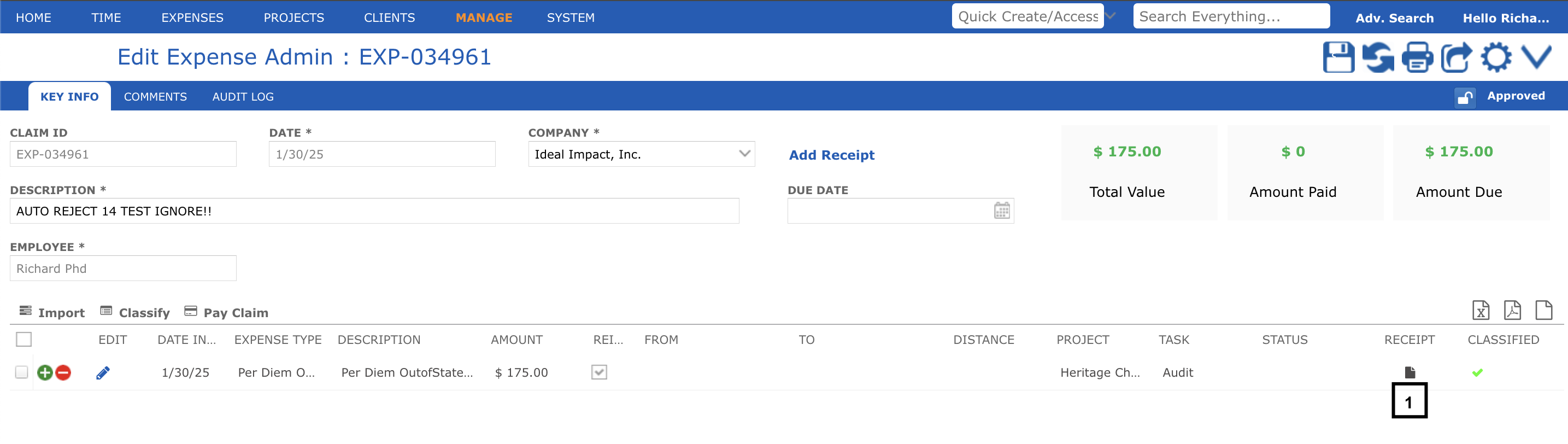
To attach a receipt to an expense claim, click the receipt icon (1) in the expense line item. This will open a pop-up window (2) where you can upload the receipt.
Adding Receipt from Item Details Page #
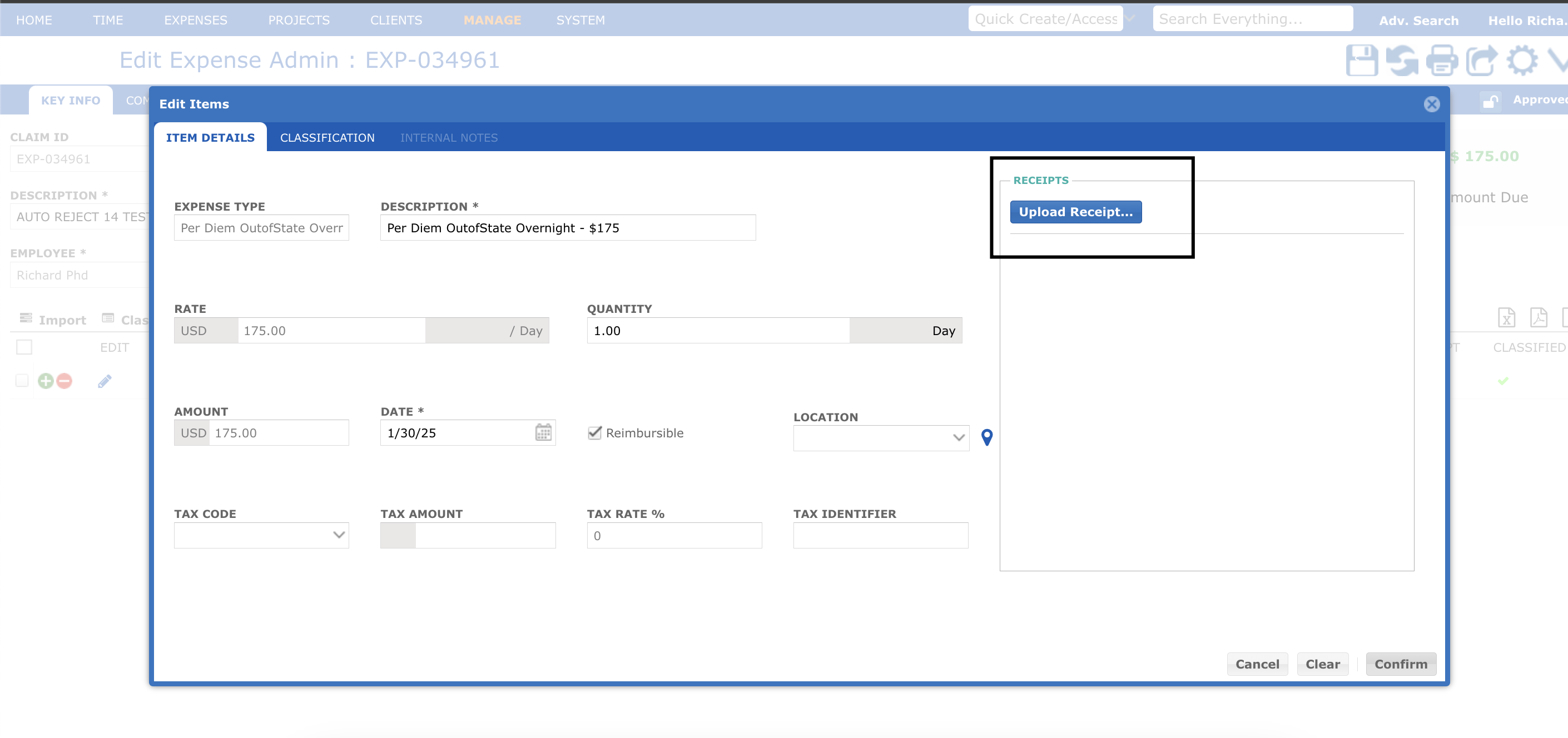
Alternatively, the user can click the pencil icon in the expense line item. This will open the Item Details pop-up window, where the user can upload the receipt and click confirm.


