
#
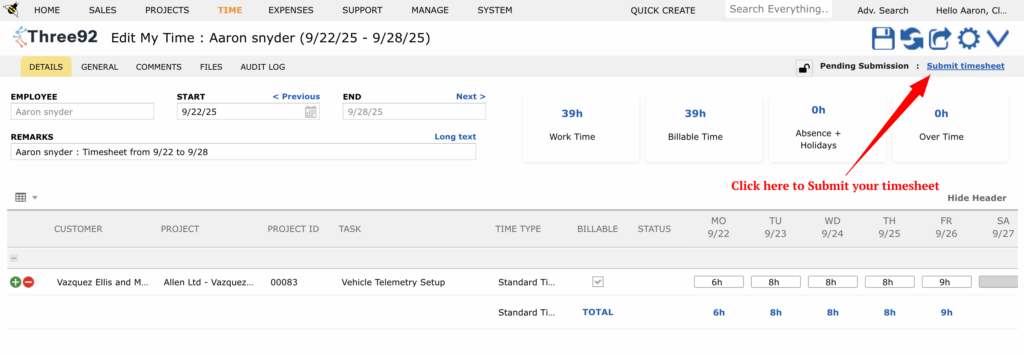
After you’ve finished filling in your timesheet, the next step is to submit it for approval.
- Check that all your hours and tasks are entered correctly.
- Click the Submit Timesheet button in the top-right corner of the screen.
- Your timesheet will now be sent to the assigned approver.
The approver will review your submission and either:
- Approve it , or
- Reject it with a reason so you can make corrections.


