
Table of Contents
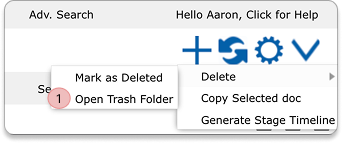
1) Open the Trash Folder #
Open the Trash folder by clicking on the downward-facing arrow in the Opportunities section.
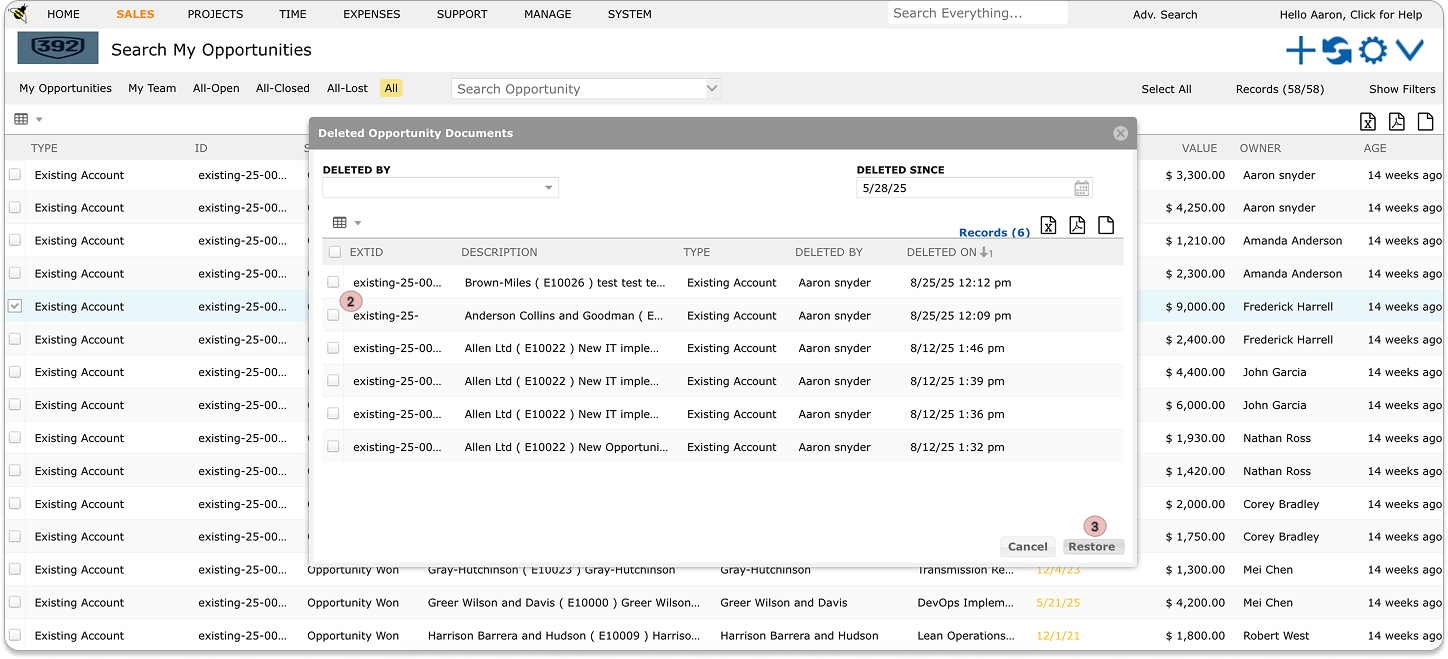
2) Select Opportunity #
Select the opportunity you want to restore by ticking the checkbox next to it.
3) Click Restore #
Click on the Restore button.
4) Restored Opportunity #
The restored opportunity will reappear in the system and can be accessed again from the search screen or directly in the Opportunities list.


