Table of Contents
Recover a Deleted Document #
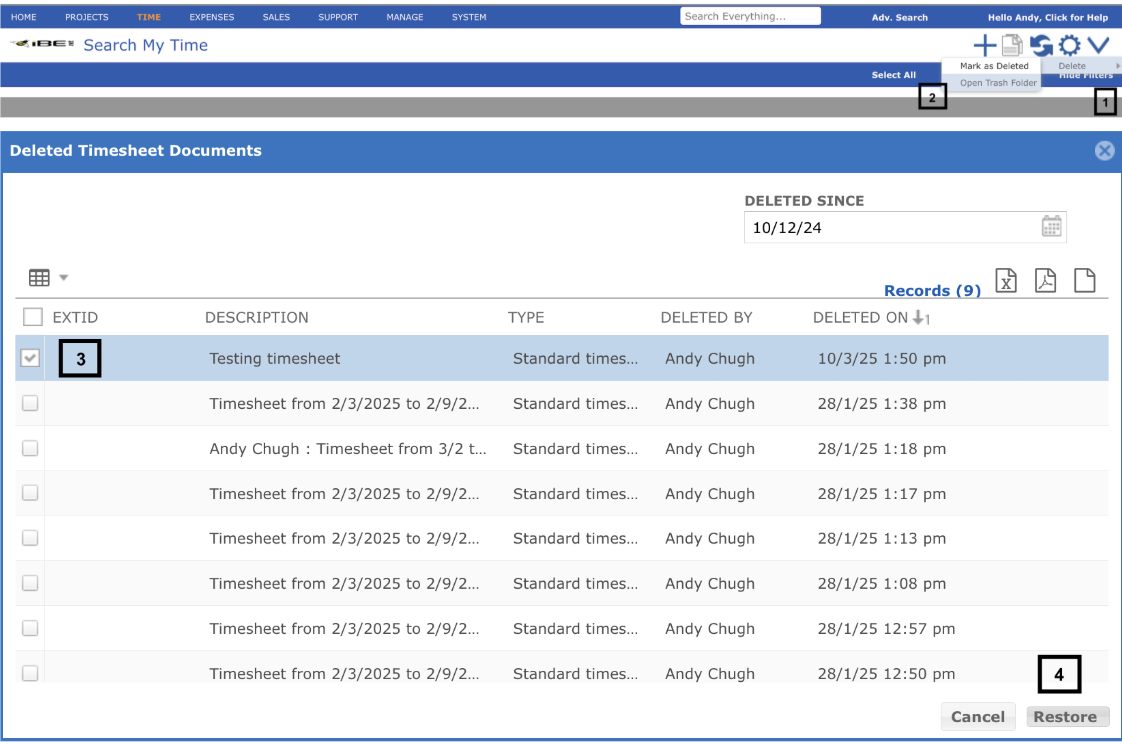
To recover a deleted document follow these steps:
- Click on the ‘V’ icon and hover mouse on Delete.
- Click on the “Open Trash Folder” in the sub-menu, a new popup window will open.
- Select the desired document by checking the checkbox true.
- Click on the restore button. The document will be restored and can be accessed on the search screen.