
Table of Contents
Reset Password #
User can rest the password by following these easy steps:
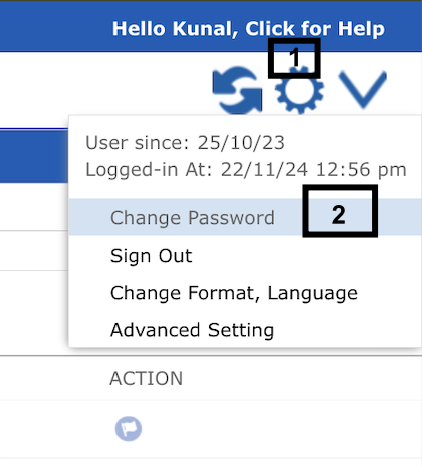
- Click on the settings icon on the top right corner
- Click on user name in the menu
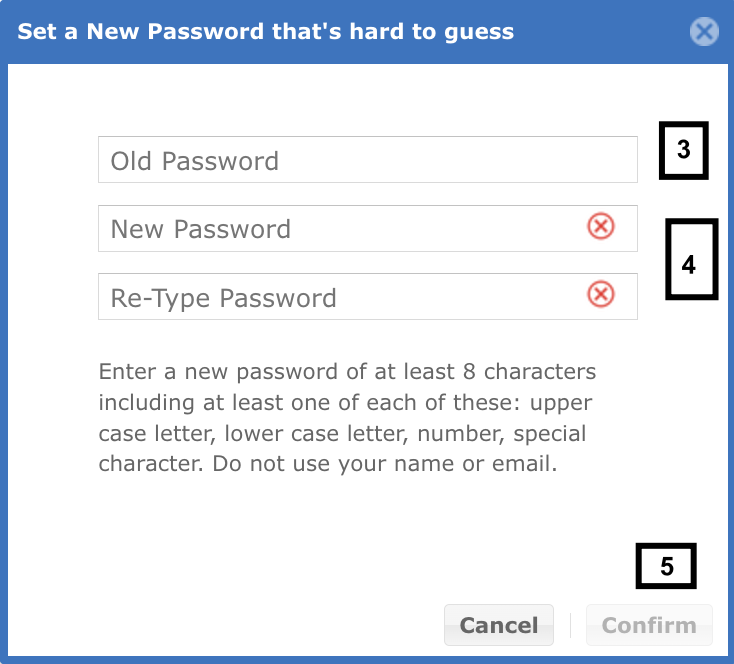
- Enter your previous/old password
- Enter the new password in the ‘New Password’ and ‘Re-type Password’
- Click the confirm button.


