Table of Contents
Add Columns in a Table #
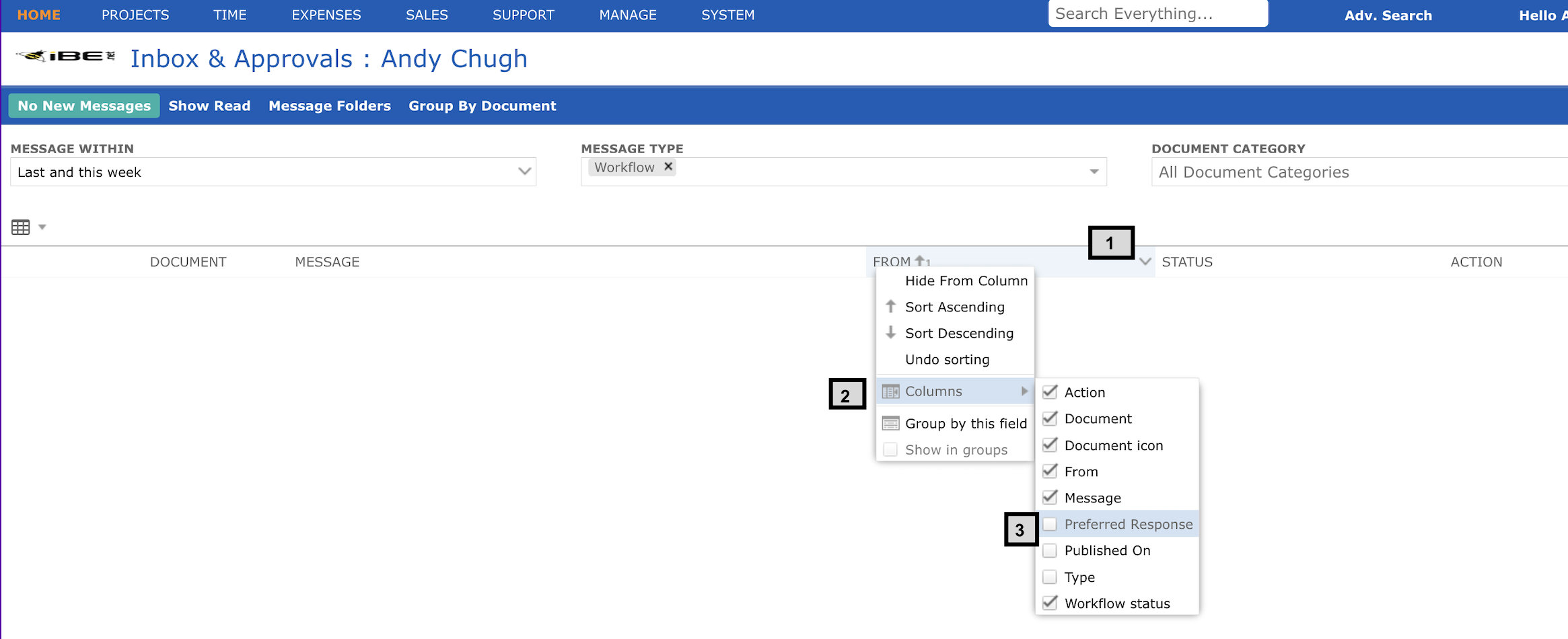
To add columns in a table follow the steps below:
- MouseOver on the right corner of any column header, an arrow along with a dropdown will appear
- Rollover on ‘Add Columns’ and you will see various column options to add
- Select (tick mark) any field names you want to add as columns. On selection it will be added in your table