
Table of Contents
Why land up to the Inbox #
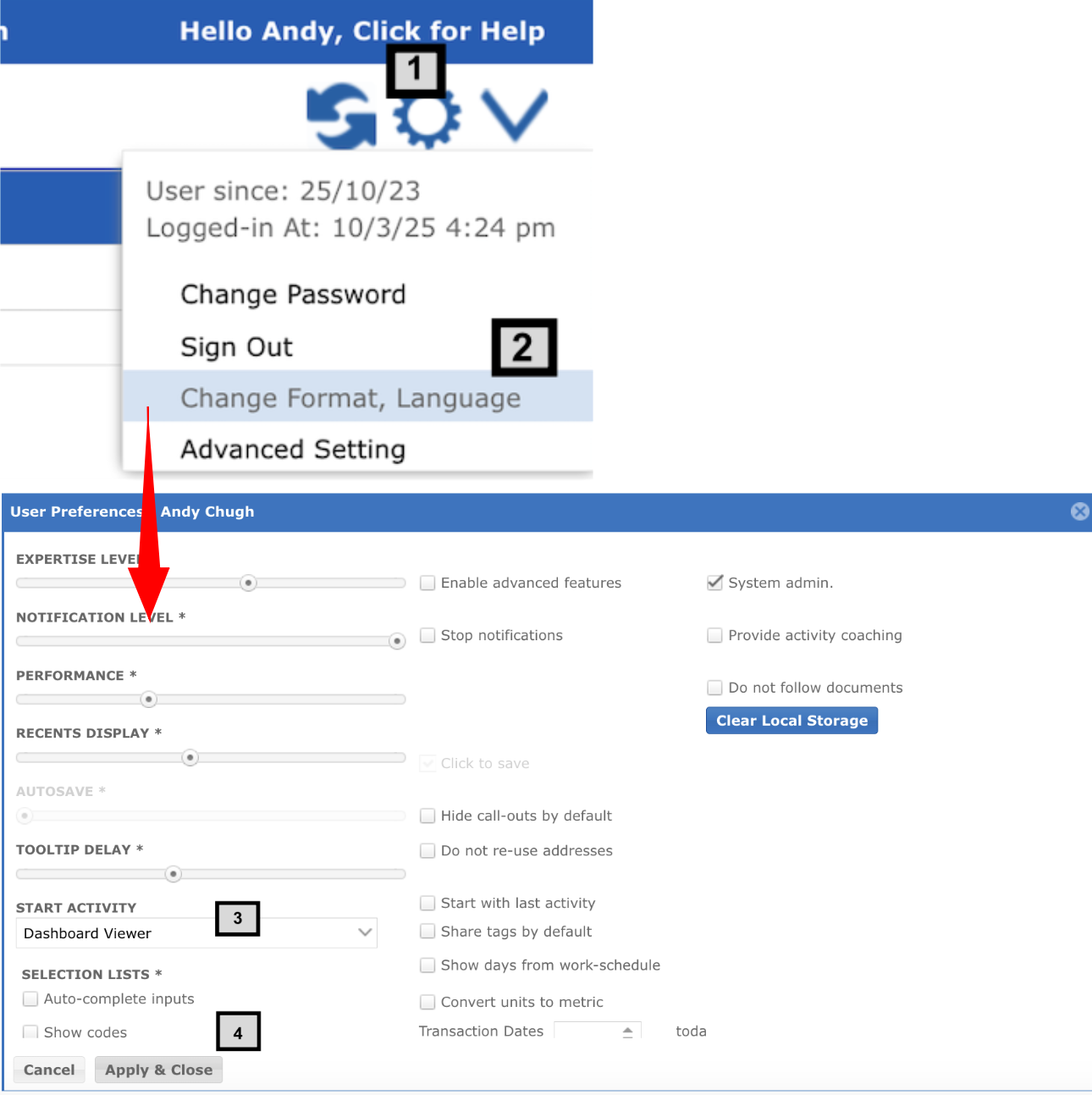
Whenever User logins to iBE.net it defaults to inbox page. User can update this by going to user preferences by following these easy steps:
- Click on the gear icon
- Click on the ‘Advanced Setting’, a new popup window will open
- Select a desired ‘Start Activity’ from the drop down. This will be the activity which user will be redirected to once he logs in.
- Click ‘Apply & Click’.


