Table of Contents
Approval and Workflow Messages #
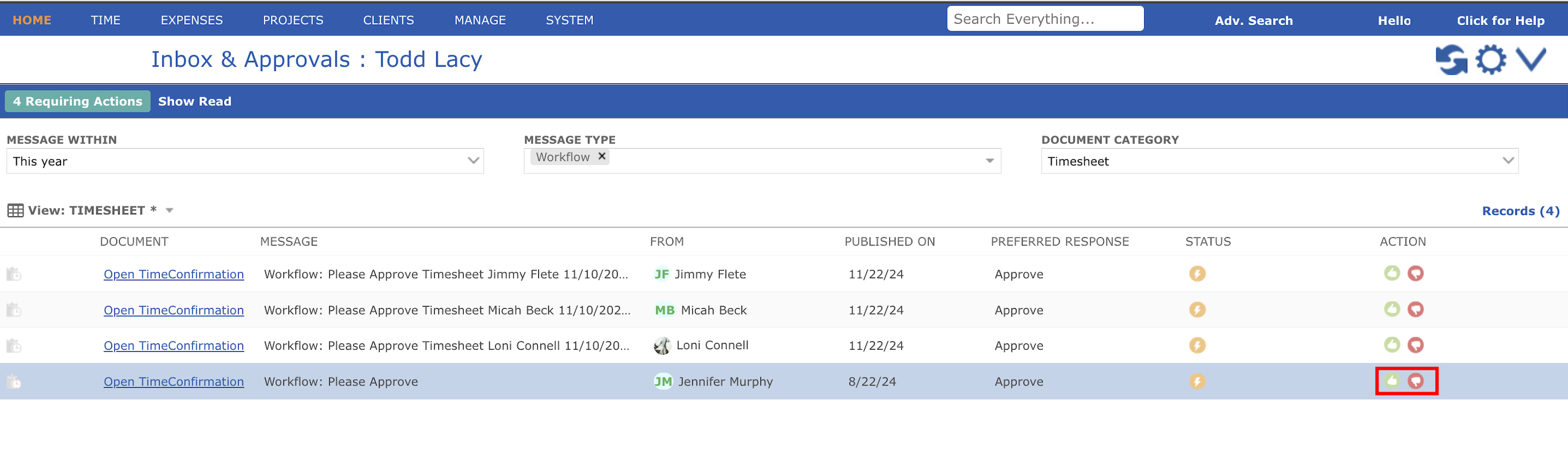
To open any document go to Home > Inbox & Approval. Here you will find a list of documents which you can view or take action against it accordingly. Ideally you can do the following:
- Action can be taken by clicking either the approval or reject button icons from the list of messages or from the detailed view by double-clicking on any row message as shown below