
Table of Contents
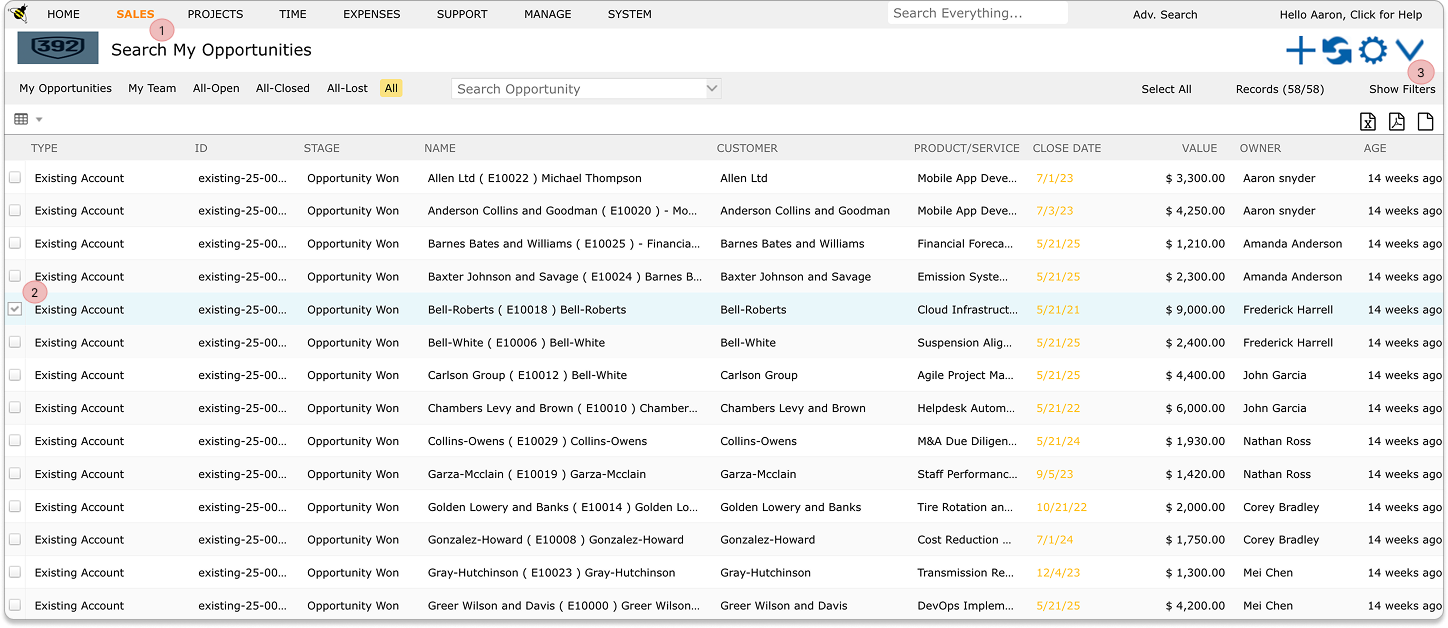
1) Navigate to Opportunities #
Go to the Opportunities section from the main navigation menu.
2) Select Opportunities #
Tick the checkbox next to the opportunity you want to delete. You can also select multiple opportunities at once if needed.
3) Open the Menu #
Click on the downward-facing menu located above the opportunities grid.
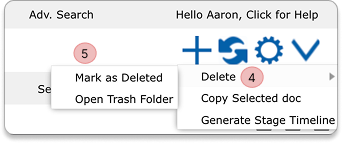
4) Delete Option #
Choose the Delete option from the dropdown menu.
5) Confirm Deletion #
Confirm the action by clicking “Mark as Delete.”
6) Completion #
The selected opportunities will now be removed from the system.


