
Table of Contents
How to Add Emergency Contacts #
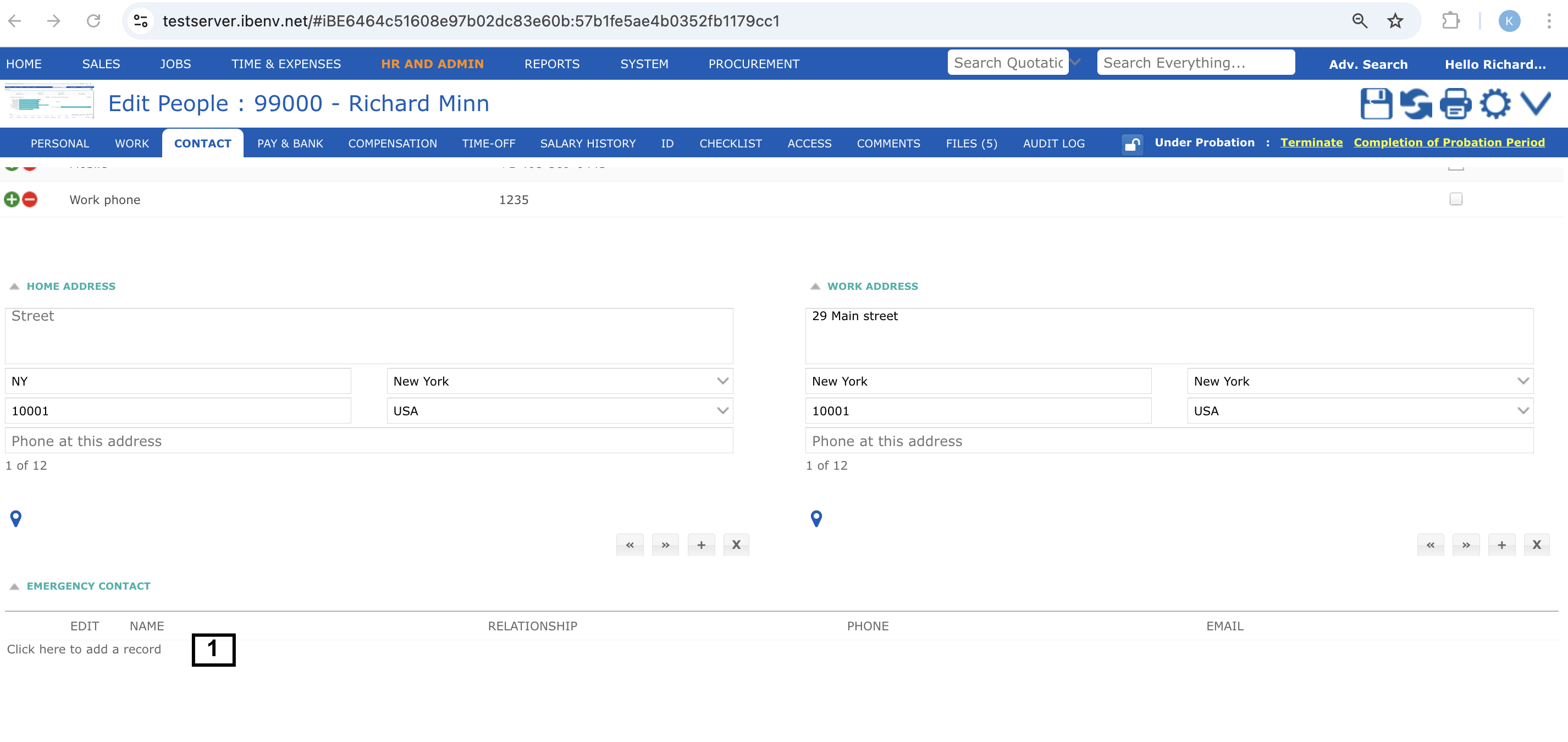
Go to Home > My Profile and click on ‘CONTACTS’ tab and scroll down to emergency contacts section. If you haven’t added any Emergency Contact the list will be empty. Follow these steps:
- Scroll down to Emergency Contact section of the page and click on ‘Click here to add a record’ link to add an emergency contact. You can add multiple emergency contacts for the same person.
A new row will appear. Add name and relationship. For example we have added ‘Jacob Mabott’ as Close relative
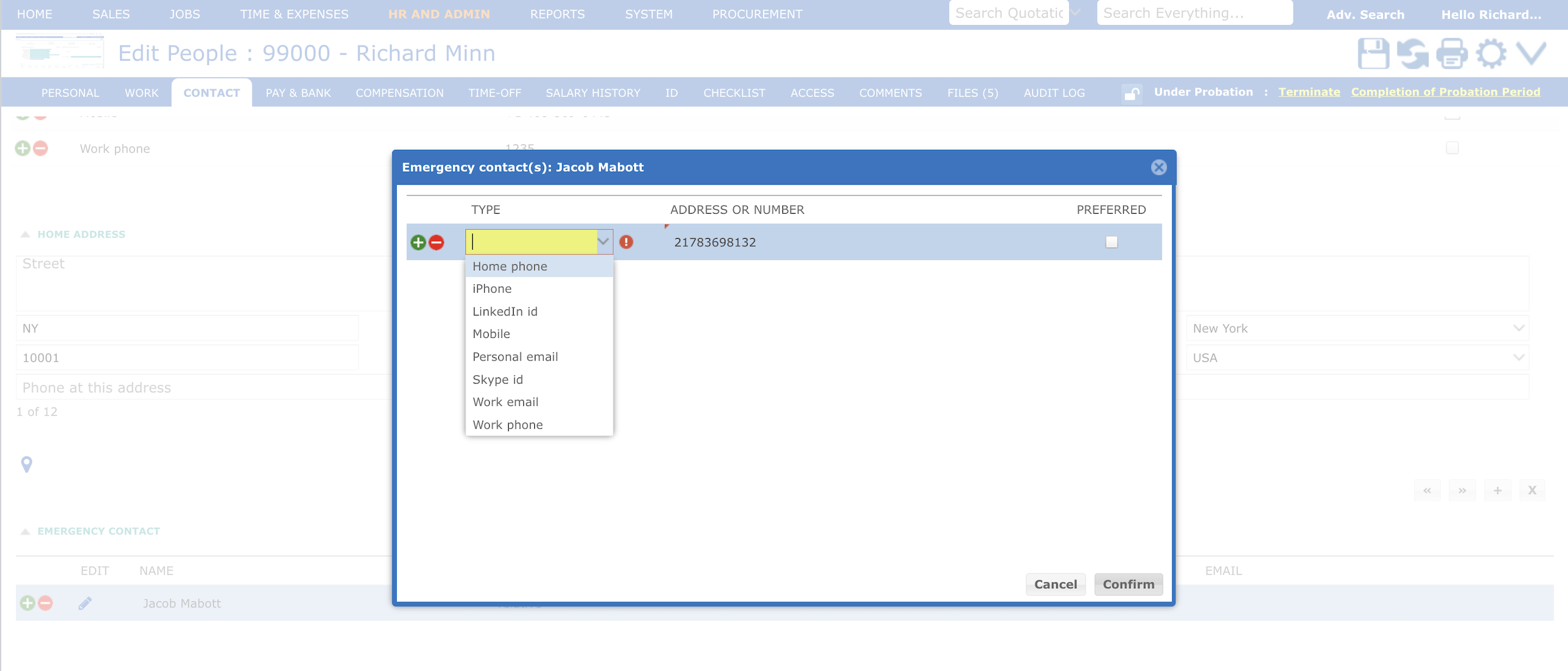
- To add Phone and Email click on their respective cells and a popup will appear. Choose the right label for example we have selected iPhone or Personal Email. Add the mobile number and email id and click confirm. You can add multiple phone numbers and email ID’s for the same emergency contacts.
- Click on the ‘save’ button on the top right of the page to save the changes made by your.


