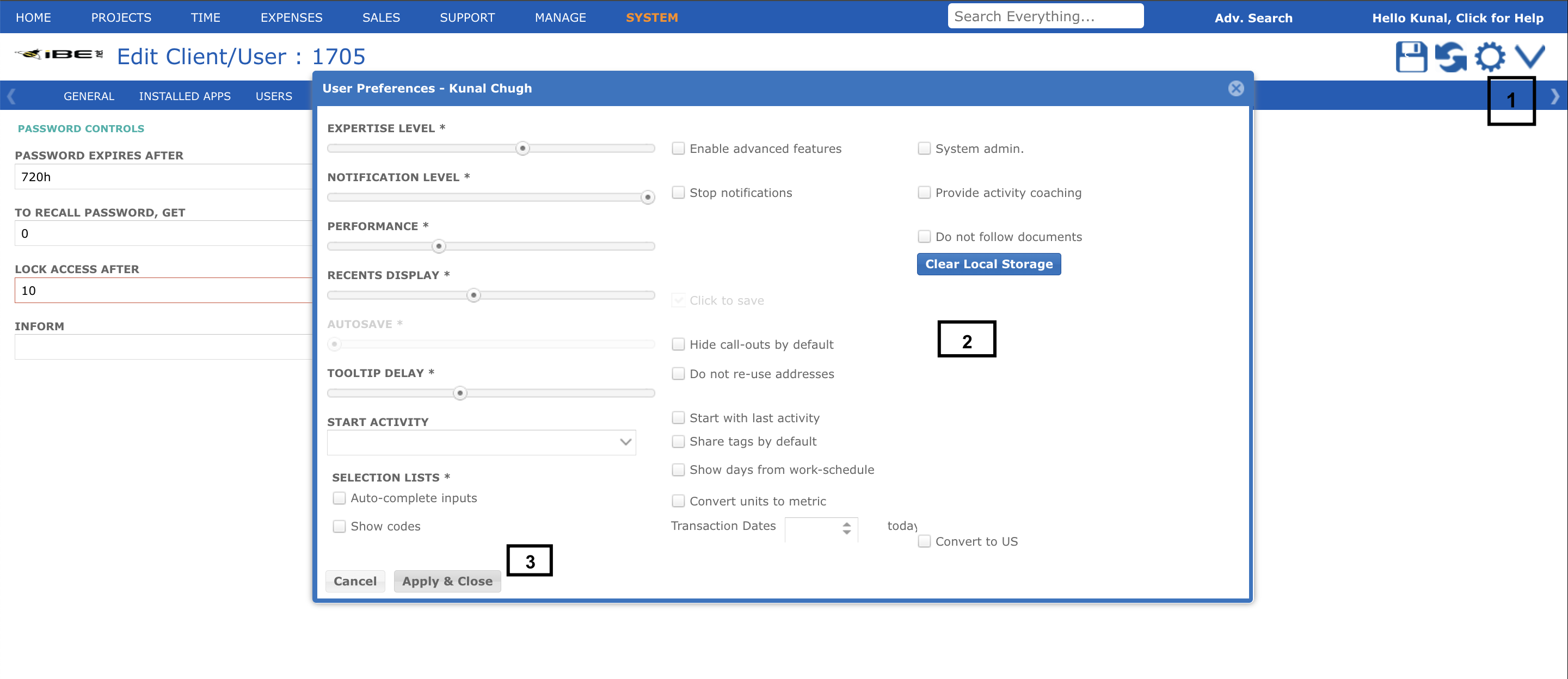
User can update user preferences by following these easy steps:
- Click on user Settings/Gear icon in the top right corner and click on Advanced Settings
- It will open user preferences popup where you can change basic preferences /settings accordingly
- Click on Apply & Close after making the relevant changes.