
This article explains How to Sign in the iBE.net Mobile Application
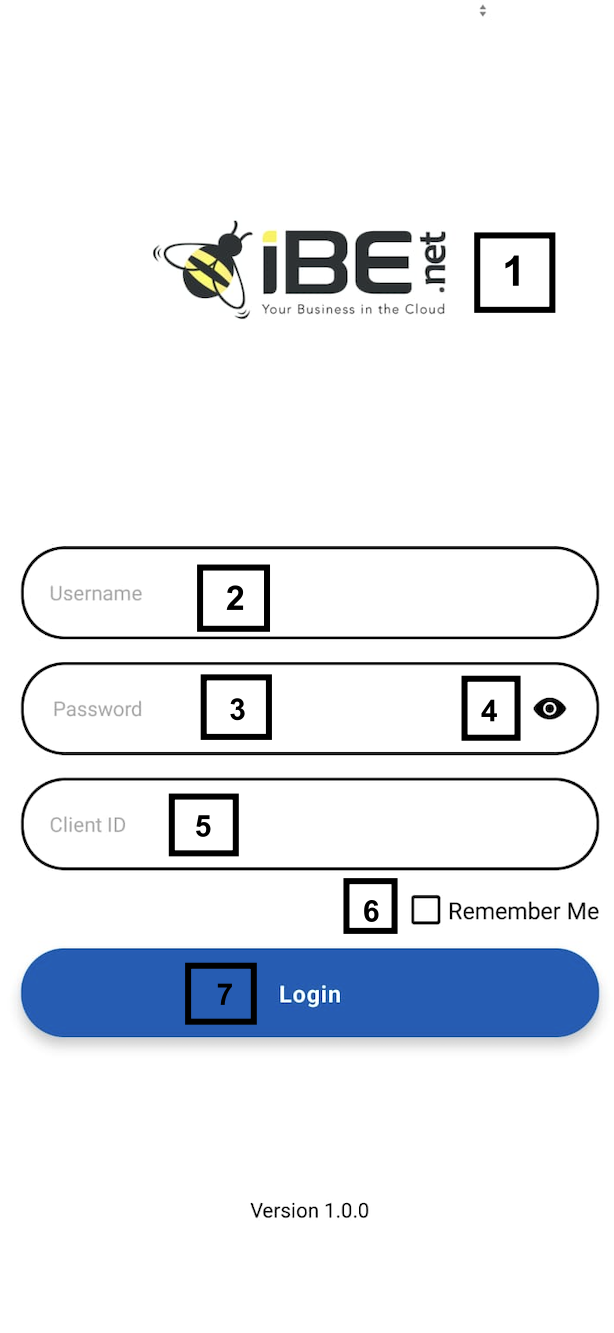
This page serves as the login interface for accessing the application. It is designed to ensure secure and seamless authentication for users while providing features that enhance usability and data protection. Below is an explanation of the various elements on this page:
- LogoThe logo represents the client’s company and serves as a key branding element. It can be customized and updated through the web application, allowing the client to align it with their branding needs.
- UsernameThis field is for entering the username of the user attempting to access the application. It is essential that the username matches the one registered in the system to ensure a successful login.
- PasswordThe password field is used to input the password linked to the username. If a user forgets their password, they can conveniently reset it through the mobile application to regain access.
- Eye ButtonThis button provides a feature to hide or unhide the password entered in the password field. It enhances usability by allowing users to review or conceal their input as needed.
- Client IDThe client ID is a unique identifier assigned to each company. This ID ensures that iBE can differentiate between clients, thereby maintaining data segregation and enhancing security.
- Remember MeWhen selected, this functionality allows the user to stay logged in even after closing the application. This reduces the need to repeatedly log in, making the experience more seamless.
- Login ButtonThe login button is used to submit the entered credentials. If the credentials are valid, it grants the user access to the application. In case of invalid credentials, an error message is displayed to notify the user.